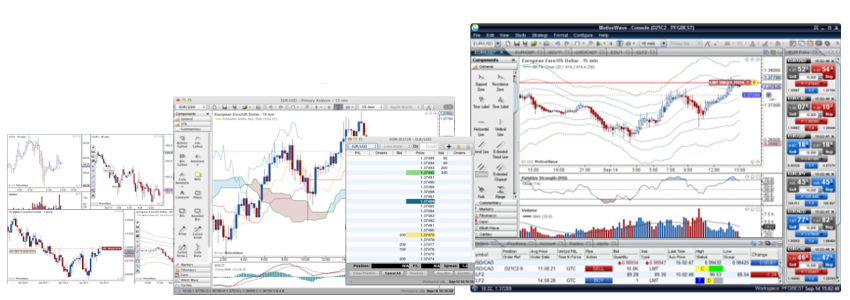
Come See The MotiveWave Difference.
Now the trading and analysis functionality of MotiveWave is yours through BESTDirect.
MotiveWave is an easy-to-use charting, analysis and trading platform, built for the individual trader, which also specializes in advanced analysis tools like Elliott Wave, Fibonacci, Gartley, Gann and Ratio Analysis. MotiveWave is available for Microsoft Windows and Mac OSX platforms.
Come see the MotiveWave difference for yourself with a 14-day, full-access free trial.
Easy to Use. Advanced Charts. Feature-Rich.
MotiveWave offers sophisticated charts and drawing tools that are highly customizable and easy to use. MotiveWave has all of the features (and more) that you would expect in a professional trading platform.
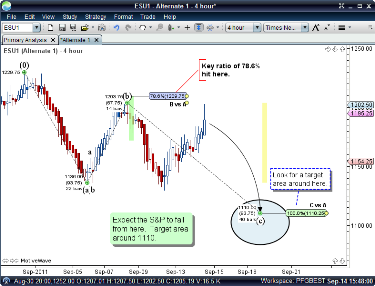
Elliott Wave
- Pattern recognition and manual tools
- All Elliott Wave degrees
- All Elliott Wave patterns
- All Elliott Wave Theory rules and guidelines are supported and enforced
- If a rule is broken, you will get a warning to adjust the point, with info on the rule that was broken
- Allows you to shorten your learning curve
- Allows you to be more confident in your wave counts
- Wave labels automatically added for you
- Ratio analysis (both time and price)
- Highly configurable preferences
- Ability to create and save separate alternate analyses for possible diverging outcomes
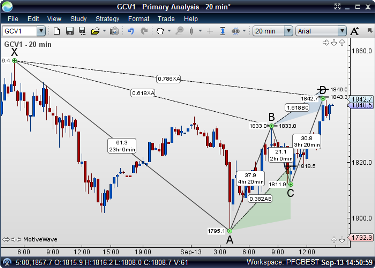
Gartley
- Pattern recognition and manual tools
- 20 Gartley components (bull and bear)
- Gartley key ratios and regions
Fibonacci
- 30 Fibonacci components
- Highly advanced and configurable Fibonacci ratio tools
- Time and ratio analysis
- Custom ratio sets and styles
Gann
- 27 Gann components
- Gann time and ratio analysis
Advanced Analysis Tools
- Use click and drag components or plot the points yourself
- Lines, components and patterns can be adjusted after being placed
- Labels are automatically added for you
- Every component can be snapped to any bar
- Create and save charts and alternate analyses
- Highly customizable and advanced Commentary components
- Compact Mode and Tile Windows features make best use of screen real estate and multiple monitors
- General analysis tools like trend lines, channels, forks, indicators, studies, instrument overlays, and more are included
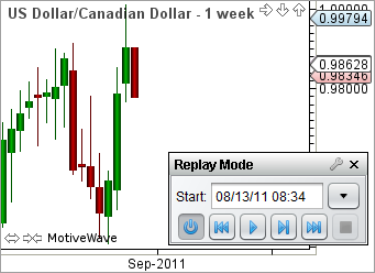
Replay Mode
Need to practice your prediction skills? MotiveWave's Replay Mode allows you
to start at any day/time from the past and play back historical data. You can run
multiple charts at the same time, choose tick or bar data, set the time delay
between each tick or bar and speed up, slow down, or pause the playback.
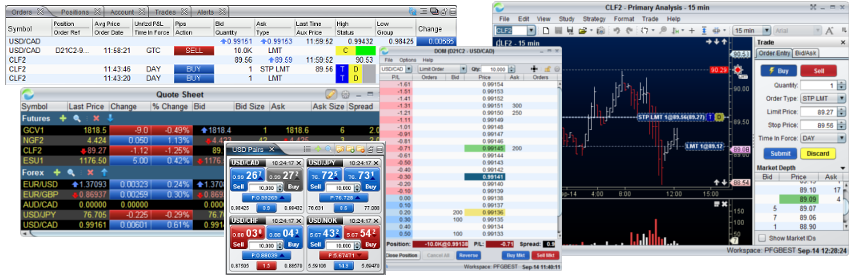
Advanced Trading Tools and Order Management
- Trade directly from Bid/Ask boxes, the DOM, Trade Panel, Quote Sheets or directly from the chart price axis with one-click
- View Market Depth in the DOM (Depth of Market) window, or use the Trade Panel to see Market Depth on each chart
- Click and drag an order to a new price level on the chart to modify the order
- Create new orders, adjust or cancel existing orders directly from the charts or the Orders panel
- Manage all of your orders, positions and account balances in one location
- Customize your trading preferences, order presets, order hotkeys, how orders are placed, plus much more
Customer Service
All, email, or post questions on the MotiveWave forum. MotiveWave responds. MotiveWave values customer feedback very highly and continually adds in features based on customer requests.
|
|
|